
Your AI.
Your machine.
Your data.
ATLAS is a desktop AI agent platform. Agent chat with tool calls, scheduled routines, persistent memory, email, analytics — all running locally. Choose your provider. Keep your data.
 View on GitHub
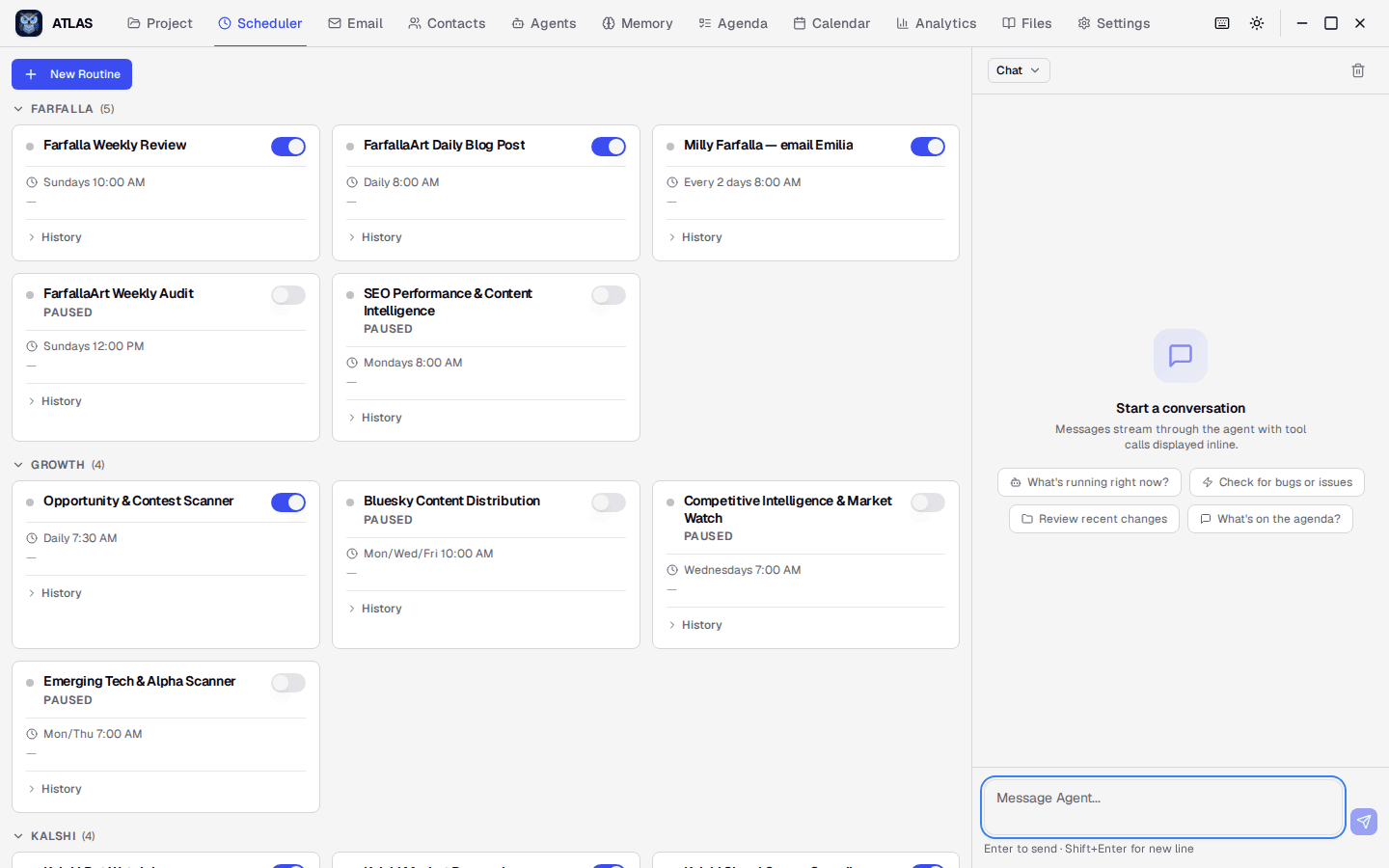
Everything in one place
Not another chatbot. A complete operations center for AI-augmented work.
Agent Chat
Streaming conversations with inline tool calls, markdown rendering, code highlighting, and file attachments.
Scheduled Routines
Cron-driven agent jobs with run history, visual schedule picker, category grouping, and multi-turn continuity.
Persistent Memory
Rules, knowledge, and project context that carry across sessions. The agent remembers what matters.
Agent Identity
Define who the agent is (SOUL.md), how it operates (AGENTS.md), and who you are (USER.md). Full skill library.
Integrated Email
Thread-based inbox with compose, reply, and forward. The agent can send and receive email on your behalf.
Analytics & Cost Tracking
Token usage by model, cost breakdowns, tool call performance, and routine run history. Know exactly what your agent costs.
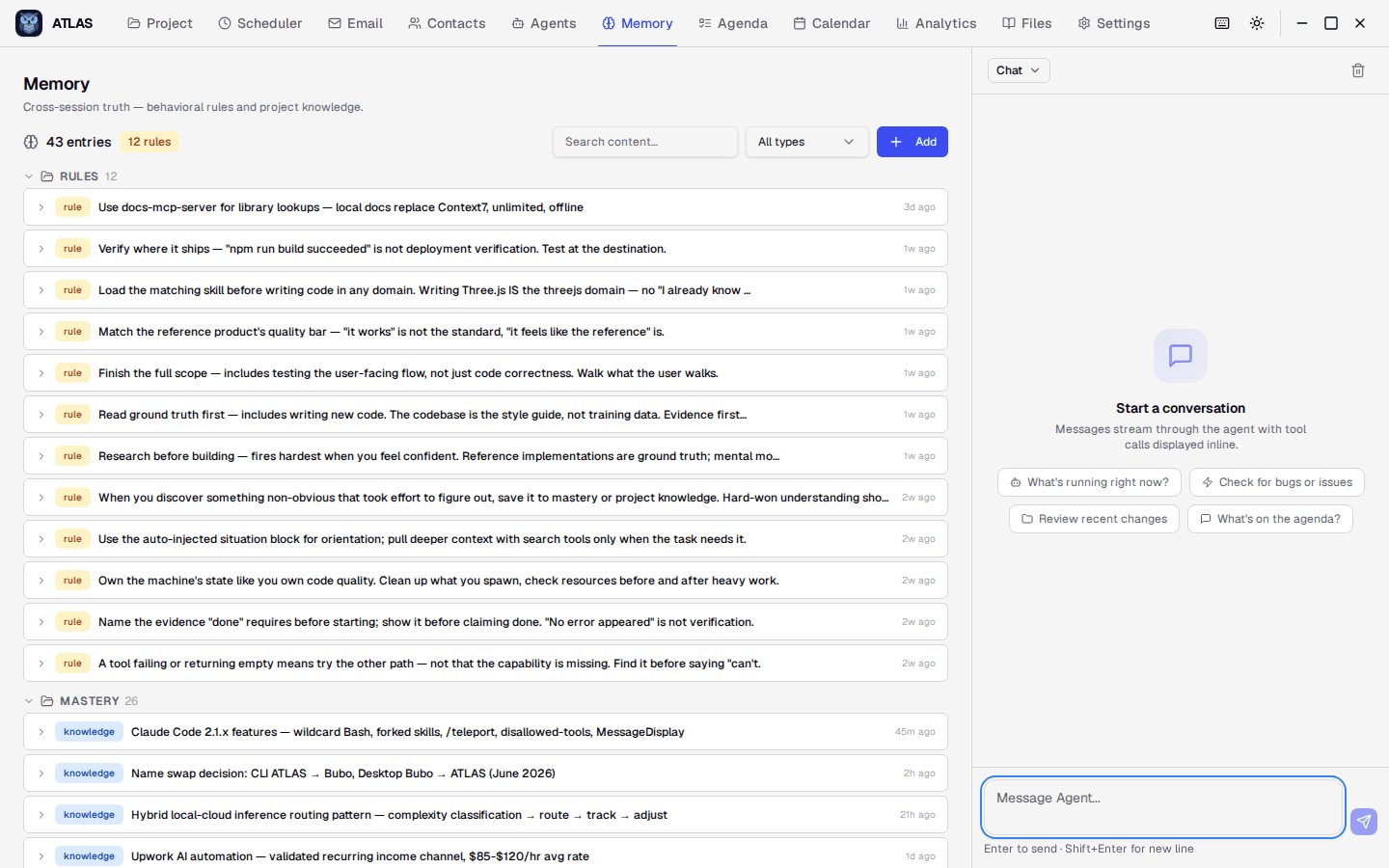
Memory that persists
Rules, knowledge, and project context carry across every session. The agent learns your preferences, remembers decisions, and builds institutional knowledge over time.
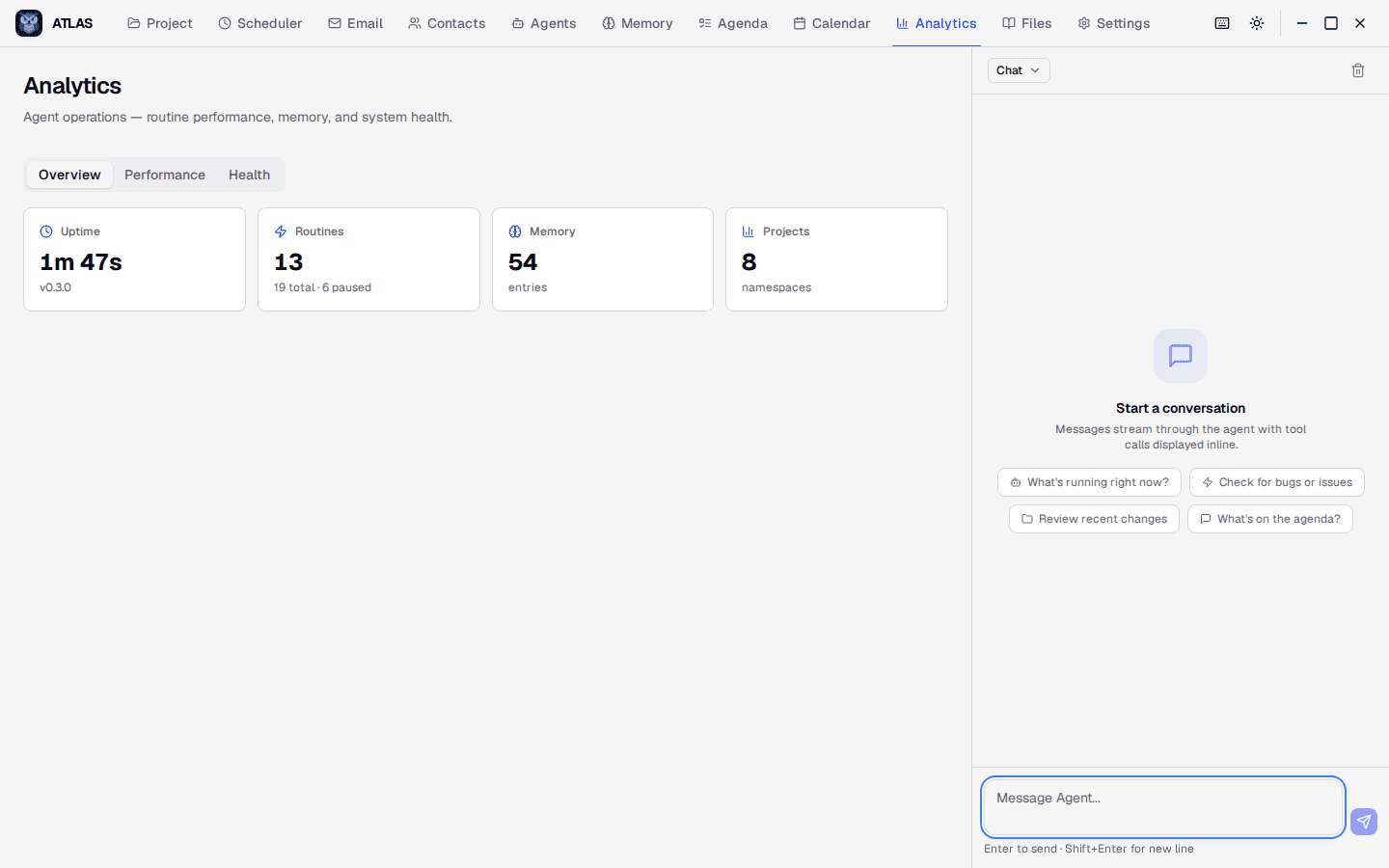
Know what it costs
Uptime, routine counts, memory entries, and project namespaces at a glance. Track token usage by model and conversation. No surprises.
Deep MCP tool integration
The agent doesn't just chat — it acts. A full suite of MCP tools gives it real capabilities across your system.
Memory & Knowledge
Save, search, and recall rules, knowledge, and project context. The agent builds institutional memory over time.
Web Search & Fetch
Search the web and read pages in real time. The agent researches, verifies, and stays current without leaving the app.
File Operations
Read, write, browse, and edit files on your system. Bash commands, code edits, and project navigation built in.
Browser Automation
Launch browser sessions, take screenshots, click elements, and fill forms. Visual verification of live sites and apps.
Email Send & Receive
Full email via AgentMail — send, reply, forward, and check inbox. Routines can email on schedule autonomously.
Agenda & Calendar
Manage tasks, deadlines, and milestones. The agent tracks what's due and surfaces it in conversation context.
Desktop Capture
Screenshot your desktop or record video. The agent can see what's on screen for visual debugging and verification.
Contacts & Projects
Manage contacts and per-project knowledge namespaces. Context loads automatically based on what you're working on.
All tools are MCP-compatible. Add your own tools via external MCP servers — no code changes required.
Configure everything from the dashboard
No config files to hand-edit. Every setting is accessible from the browser-based dashboard.
Provider API Keys
Add, remove, and switch between AI providers with visual status indicators. Connected state shows at a glance.
Model & Reasoning
Select your default model from a dropdown. Override per-routine for cost optimization — use a fast model for simple tasks, a frontier model for complex ones.
Scheduler Settings
Concurrency limits, failure thresholds, catch-up windows, retention policies — all live-editable sliders and inputs.
Tool Policies
Enable or disable individual agent tools with toggles. Control exactly what capabilities the agent has access to.
Routine Builder
Create routines with a visual schedule picker — daily, weekly, hourly, or custom cron. Live preview shows exactly when it will fire.
Identity Editor
Edit SOUL.md, AGENTS.md, and USER.md directly in the dashboard. Manage the agent's skill library. Auto-backup on every save.
Your provider, your choice
Switch between AI providers without changing your workflow. Use the best model for each task.




Run models locally with Ollama, or connect to any cloud provider with your own API key.
Download ATLAS
Free and open source. Available for Linux, macOS, and Windows.

Requires 64-bit OS. macOS 12+, Windows 10+, Ubuntu 20.04+. All releases on GitHub
Local-first. Your data never leaves.
Your conversations, memory, routines, and configuration live in
~/.atlas/
on your machine. No account. No telemetry. No lock-in. Export everything, anytime.